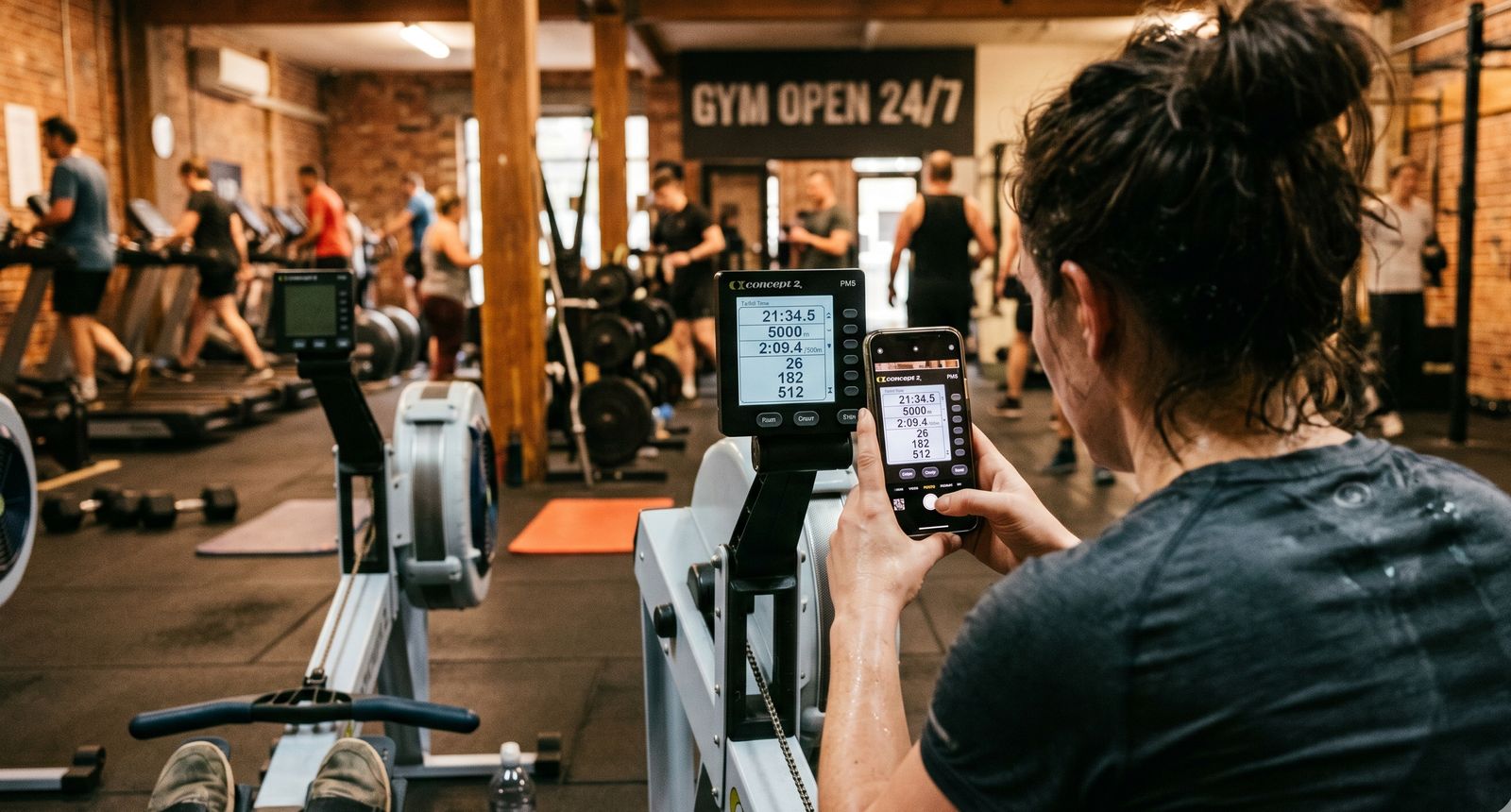
You just finished a hard erg session. Your numbers are on the Concept2 monitor, but unless you log them somewhere, they vanish when you turn off the machine. Here are the three main ways to save your workout data - and when each one makes sense.
Method 1: AI Photo Scan
How it works: Take a photo of your Concept2 performance monitor with your phone. AI vision reads the screen and extracts all the workout data automatically.
What it captures:
- Total distance and time
- Average and best splits
- Stroke rate
- Heart rate (if displayed)
- Full interval breakdowns (individual interval splits, rates, distances)
- Workout type classification
Pros:
- Fastest method - takes about 5 seconds
- Captures interval detail that's tedious to enter manually
- Works with any Concept2 monitor (PM3, PM4, PM5)
- No Bluetooth or cable connection needed
- Preserves data from screens you'd normally skip past
Cons:
- Requires decent lighting for the photo
- Very complex display layouts may occasionally need manual correction
Best for: Post-workout logging of any session, especially intervals with detailed split data. This is the fastest way to go from "workout done" to "data saved."
Method 2: Concept2 Logbook Sync
How it works: Connect your Concept2 online Logbook account. All workouts logged to C2 (via ErgData app or manual entry on the C2 website) are automatically imported.
What it captures:
- Distance and time
- Average split
- Stroke rate
- Workout type
- Date and time
Already tracking workouts? ErgManiac supports all three methods with a free tier. The AI analyzes each workout regardless of how you logged it.
Pros:
- Fully automatic after initial setup
- No manual steps needed per workout
- Works retroactively with historical data
Cons:
- Requires PM5 with ErgData for automatic logging to C2
- Doesn't capture interval-level detail (just summary stats)
- Missing heart rate data in most cases
- No data from PM3/PM4 monitors unless manually entered on C2 site
Best for: Rowers who already use ErgData or the Concept2 Logbook. Great as a baseline sync with photo scan for capturing interval details from PM3, PM4, or PM5 screens.
Method 3: Manual Entry
How it works: Type your workout numbers into the app by hand.
What it captures: Whatever you choose to enter - distance, time, split, stroke rate, etc.
Pros:
- Works regardless of monitor type
- Complete control over data
Cons:
- Slow and tedious, especially for intervals
- Easy to make typos
- Most people skip it after a few weeks
- Interval-level data rarely gets entered (too many numbers)
Best for: One-off situations where photo scan isn't available and C2 sync doesn't cover the data you need.
How They Compare
Speed: Photo scan takes about 5 seconds. C2 sync is automatic. Manual entry takes 1-3 minutes.
Interval details: Photo scan captures full breakdowns. C2 sync only gets summary stats. Manual entry depends on your patience.
Monitor support: Photo scan works with PM3, PM4, and PM5. C2 sync imports workouts from your Concept2 Logbook; ErgData live auto-logging requires PM5. Manual entry works with anything.
Heart rate: Photo scan reads it if it's on the screen. C2 sync rarely includes it. Manual entry only if you type it in.
Effort per workout: Photo scan is minimal. C2 sync is zero. Manual entry is high.
Data accuracy: Photo scan is high (AI + manual review). C2 sync is high. Manual entry depends on you.
The Best Approach: Combine Methods
The most effective setup uses sync as the baseline and photo scan for detail:
- Connect C2 Logbook sync so every workout appears automatically
- Photo scan after interval sessions to capture the full split breakdown
- Manual entry as backup only when the other methods aren't available
This way you never lose a workout (sync catches everything) and your interval data is complete (photo scan captures what sync misses).
Getting Started
ErgManiac supports all three methods. Connect your Concept2 Logbook for automatic sync, use the photo scan feature after sessions with detailed data, and fall back to manual entry when needed. The AI even analyzes each workout and provides pacing feedback, zone adherence, and recommendations for your next session - regardless of how you logged it.
Once your workouts are logged, the real value starts. See our guide to improving your 2K, learn about training zones, or compare the best Concept2 apps to find the right setup for you.